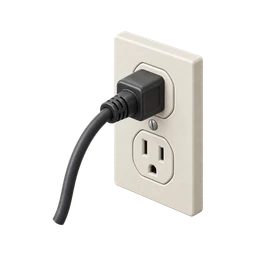
Did I unplug the curling iron?
Updated November 3, 2026
Curling your hair takes a while, and the last few curls usually get done in a hurry. Then there's spray, a final check in the mirror, and you're gone. It's often only once you're sitting at dinner or a desk that you think about the wand on the vanity.
If you're asking right now, start with one fact: does your curling iron turn itself off? That single detail changes how worried you need to be.
Why you can’t remember
Curling is a long, repetitive task. You do the same wrap, hold and release dozens of times, so by the end your hands are on autopilot. Unplugging gets tacked on to the end of that sequence, at the moment your attention shifts to hairspray and leaving. It barely registers as a separate action.
Curling irons also give few signals. Most have a small power light, and some have none. A wand sitting on its stand looks the same hot or cold, and the cord usually trails off behind a counter where you can't see the outlet. When you try to recall it later, the picture in your head lacks the one detail you need: plug in or plug out.
If you curl your hair often, your memories of unplugging blend together. You know you usually unplug it, and that general knowledge can pass for a specific memory of today. When you do go back to check, or ask someone to check twice, the extra looks tend to make you less sure, because they add more near-identical memories to sort through.
How to check right now
- Find out if it has auto shut-off
Search the brand and model with "auto off." Many curling irons turn off after roughly 60 minutes, though the timing varies and cheaper models may not have the feature at all.
- Ask someone to unplug it
If anyone is home, ask them to pull the plug and move the wand somewhere it can cool safely, like a tiled counter or its heat mat.
- Check a smart plug if you use one
If your hair tools are on a smart plug, its app can show whether the outlet is powered and switch it off.
- Go back if you can't confirm
A curling iron with no auto-off, resting on a towel or near hair products, is worth a trip home. Return once and check.
Safety note. Curling irons can reach very high temperatures and stay hot for a while after switching off. Not every model has auto shut-off. Keep it on a heat-proof surface away from towels, paper and aerosol hairspray, and if you can't confirm it's unplugged and no one can check, go back.
How to stop rechecking
- Unplug after the last curl, before the spray
Put the step at a fixed point: last curl, unplug, then hairspray. Spray comes after the plug is out, every time.
- Use the same heat mat in the same spot
A silicone heat mat in a fixed place gives the wand a home. A consistent setup makes it easier to picture correctly later.
- Touch the plug and name it
With the plug in your hand, say "curling iron unplugged." A small physical-and-spoken moment like that sticks better than an automatic tug.
- Choose a wand with auto shut-off
When it's time for a new one, pick a model with auto-off. It's a useful backup, even if you still unplug every time.
- Log it with a photo
In One Loop, you can make a curling iron Loop and confirm it with a quick photo of the unplugged cord. The timestamp tells you it's today's photo when you check later.
Questions people ask
Do curling irons turn off automatically?
Many do, often after about an hour of use. Not all models include it, so check your manual or the product listing.
Can a curling iron cause a fire?
Yes. A hot curling iron left on or near fabric, paper or other flammable items can scorch them or start a fire.
How long does a curling iron stay hot after unplugging?
It depends on the model, but many take several minutes or more to cool fully. Keep it on a heat mat until it's cool to the touch.
Why can't I remember unplugging my curling iron?
The unplugging happens on autopilot at the end of a long, repetitive task, just as your attention moves on. That leaves only a weak memory, which blends with other days.
Other things people double-check
Checklists that include this

Confirm it once. Stop wondering.
One Loop keeps a timestamped tap, voice note or photo of the things you do on autopilot. Free to try for 7 days.
Download on the App Store